Find out more about Grand Theft Auto VI game editions, pre-order bonuses, languages, troubleshooting, and accessibility settings.




{NUM}
{OVERLINE}
{TITLE}
{PARAGRAPH}
{FEATURE_ICON}
{FEATURE_TITLE}
{FEATURE_DESC}
PlayStation Support
Select a category from below:
Game support
Find out more about Grand Theft Auto VI game editions, pre-order bonuses, languages, troubleshooting, and accessibility settings.
Get help with GTAVI Physical (Code-In-Box) version issues.
Find out how to troubleshoot Grand Theft Auto VI download and launch issues, missing in-game content, and PS5 console issues.
Find out about the GTAVI bonus offer for one month of GTA+ on PlayStation®Store.
To upgrade an eligible PlayStation®4 game on disc to the digital PlayStation®5 version, you'll need a PS5® console with a disc drive. PS4® game discs can’t be used with the PS5 Digital Edition.
To upgrade an eligible digital PS4 game you already own to the digital PS5 version:
Note: PS4 games redeemed as a PlayStation®Plus benefit aren't eligible for a PS5 upgrade unless otherwise indicated.
The PS5 console is backward compatible with the majority of PS4 games. That means you can play an amazing collection of thousands of PS4 games on your PS5 console.
Find out how to fix issues when downloading games from PlayStation Store on PS5 consoles and PS4 consoles.
Depending on the game, you can earn trophies by accomplishing objectives such as clearing levels, finding collectibles, or completing certain tasks.
To view Game Help while in a game, follow these steps.
When you purchase a game, you can choose to start the download remotely via a web browser or PlayStation App. To start a remote download, you need to set up automatic downloads for your console.
Find out how to resolve common issues with add-ons, DLC and in-game currency.
When you start a game or app, it automatically updates to the newest version available.
Highlight a game thumbnail in your games home and press the options button to display the options menu.
You can also use this menu to manage saved data, game data and add-ons.
Game and saved data, as well as other data, is stored on the built-in storage on your PS5 console. If you don't have room on your console storage, you can either delete data that's already there or move data to one of the following storage spaces:
Your PS5 console monitors how much storage space is used by your games, media content, and saved data. To check how much free storage space you have, go to the home screen and select Settings > Storage.
To manage your PS4 console storage, go to Settings > Application Saved Data Management.
If you would like to access an application's PlayStation Plus online storage save data from the content launcher or Library, highlight the application, press the OPTIONS button, and select Upload/Download Saved Data.
Games you hide will be hidden from your Library on all consoles. This setting doesn’t affect your profile. You can hide or unhide your games in the following ways.
Some games have data split between two discs to allow for larger file sizes.
How do I access my bonus content?
The physical editions of the game include a voucher with a code, which you can redeem on PlayStation Store to gain access to your bonus content. If you purchased a digital version of Horizon Forbidden West, the bonus content is included when you can download the game. Please check your retailer receipt (physical or digital) for the code.
What platforms can I play Horizon Forbidden West on?
Horizon Forbidden West will be released on PS4 consoles and PS5 consoles.
What languages is Horizon Forbidden West available in?
Spoken (voice-overs from local talent): English, French, Italian, German, Spanish, Polish, Portuguese, Russian, Arabic, Japanese, Latin American Spanish, Brazilian Portuguese.
Subtitles: English, French, Italian, German, Spanish, Polish, Portuguese, Russian, Arabic, Japanese, Latin American Spanish, Brazilian Portuguese, Dutch, Danish, Norwegian, Finnish, Swedish, Hungarian, Czech, Turkish, Greek, Simplified Chinese, Traditional Chinese, Thai, and Korean.
How to access pre-order bonuses for God of War Ragnarök
All pre-order bonus/DLC content is unlocked as you progress through the story. You'll need to reach the first shop within the game in order to receive in-game items.
Can I play my PS4 version on PS5 consoles?
Yes, you can play the PS4 version of Gran Turismo 7 on a PS5 console.
What are the minimum requirements for Days Gone on PC?
What hardware do I need to play Horizon Call of the Mountain?
You need a PS5 console, PlayStation®VR2 as well as PlayStation®VR2 Sense Controllers to play Horizon Call of the Mountain.
Does Helldivers 2 have an online or multiplayer experience?
Helldivers 2 requires online play. You can play with up to 4 online players with PlayStation Plus.
Does Stellar Blade have an online or multiplayer experience?
Stellar Blade is a single-player game.
Where can I find my pre-order items?
Pre-order bonuses can be acquired at Adam’s safehouse when arriving at Xion. This can be reached after playing the game for around 90 minutes.
Find out about Ghost of Tsushima™ Director's Cut for PC editions, the game's supported languages and how to access pre-order bonuses.
There are two editions of Astro Bot: Standard Edition and Digital Deluxe Edition.
Digital Deluxe content
*Game progression required to unlock.
Pre-Order content
*Game progression required to unlock.
Find out about EA SPORTS FC 27 release dates, game editions, supported languages, and platform availability.
What are the minimum hardware requirements for Horizon Zero Dawn™ Remastered on PC?
| Preset | Very Low |
| AVG Performance | 720P @30 FPS |
| Processor |
Intel Core i3-8100 or AMD Ryzen 3 1300X
|
| Memory | 16GB RAM |
| Graphics |
NVIDIA GeForce GTX 1650 4GB or AMD Radeon RX 5500 XT 4GB
|
| Storage |
135GB SSD Space
|
| OS |
Windows 10 64-bit (version 1909 or higher) |
Can I upgrade to Horizon Zero Dawn™ Remastered?
You may be eligible for an upgrade to Horizon Zero Dawn™ Remastered digital edition if you already own Horizon Zero Dawn™ and/or Horizon Zero Dawn™ Complete Edition.
Does LEGO® Horizon Adventures™ have an online or multiplayer experience?
*Paid for PlayStation®Plus membership (sold separately) required for online play on PS5. PlayStation Plus membership subject to recurring subscription fee taken automatically until cancellation. Age restrictions apply.
Full terms
*Nintendo Switch Online membership (sold separately) and Nintendo Account required for online play on Nintendo Switch. Not available in all countries. Internet access required for online features.
Terms apply
Learn about MLB The Show 25 game features and troubleshooting.
Learn about Call of Duty®: Black Ops 6 game features and troubleshooting.
What are the game editions of Death Stranding 2: On the Beach?
There are two digital editions of Death Stranding 2: On the Beach: Standard Edition and Digital Deluxe Edition.
Digital Deluxe Edition includes:
What are the minimum performance requirements for Lost Soul Aside for PC?
| GPU | NVIDIA GTX 1060 or AMD RX 5500 XT |
| CPU | Intel Core i5-10400 or AMD Ryzen 5 3600 |
| RAM | 16 GB |
| OS | 64-bit Windows 10 / Windows 11 |
| Storage | 80 GB SSD |
Find out about the Metal Gear Solid Delta: Snake Eater game editions, the game’s supported languages and accessibility features.
Find out about Ghost of Yōtei™ game editions, supported languages, troubleshooting information, and accessibility features.
Find out about Battlefield™ 6 game editions, languages, and troubleshooting.
Minimum PC requirements
| GPU |
NVIDIA GeForce GTX 1050 Ti (4 GB) / AMD Radeon RX 5500 XT (4 GB) / Intel Arc A580 (8 GB, with ReBAR on)
|
| CPU |
Intel Core i5-6600 / AMD Ryzen 5 2600
|
| RAM | 8 GB |
| OS |
Windows 10 64-bit (latest Service Pack)
|
| DirectX | Version 12 |
Does God of War Sons of Sparta have an online or multiplayer experience?
God of War Sons of Sparta is a single-player story experience. After completing the main campaign, you’ll unlock The Pit — an end-game roguelite challenge mode that can be played solo or in two-player local (offline) couch co-op. Once unlocked, The Pit is available from the main menu.
Normally The Pit is accessible only after you beat the main story to ensure those who attempt it are familiar with both Kratos’ Spartan arms and the foes you will face, but if you feel ready to test your skills earlier, you can input this sequence below in the starting menu to unlock it early:
Up, Up, Down, Down, Left, Right, Left, Right, L1, R1, Touchpad
Once entered, you will see a new option on your menu that can be used to take you into the challenge mode.
Learn about MLB The Show 26 game features and troubleshooting.
Find out about Saros game editions, supported languages, troubleshooting information, and accessibility features.
Learn about 007 First Light game features and troubleshooting.
Learn about EA SPORTS UFC 6 game features and troubleshooting.
Learn about Assassin's Creed Black Flag Resynced game features and troubleshooting on PlayStation®5 Consoles and PC.
Learn about Halo: Campaign Evolved game features and troubleshooting.
Find out about the METAL GEAR SOLID: MASTER COLLECTION VOL. 2 editions, bundle content, languages, and multiplayer modes.
Learn about Monster Hunter Wilds game features and troubleshooting.
For certain PlayStation games for PC, you can sign in to PlayStation and access bonus content.
Sign up for the opportunity to be among the first to test participating games, console features, and more.
Create and join a party
Have real-time conversations with players by voice chatting in a party.
You can also turn on Display Names to show the names of active speakers while chatting.
This setting affects only game chat audio. You can also find this setting in Voice Chat Settings in Game Base.
To use Discord on your PS5 console, you need to link your account for Discord to your account for PlayStation. Link your Discord account.
You can start a Direct voice chat on Discord to chat with players and groups that you’ve previously chatted with.
To view your ongoing Discord voice chat or change the settings, select the voice chat card from the control centre.
Have real-time conversations with players by voice chatting in a party.

Scan the QR Code™ with your mobile device to get a link to your game group. Send the link to people you want to invite. When the recipient opens the link, they can follow the on-screen instructions to join your game group. This feature is available only for game groups that anyone can join.
When you start a game that other players can join, a game group is created and you become the group leader.
Select the card in the control centre labelled In Progress to manage your game group.
If you're not the group leader, you can still use the card to view group details and the profiles of other players in the game group.
If you lose connection, or the microphone icon flashes, during party voice chat, please try the following:
Change output device
Change output device
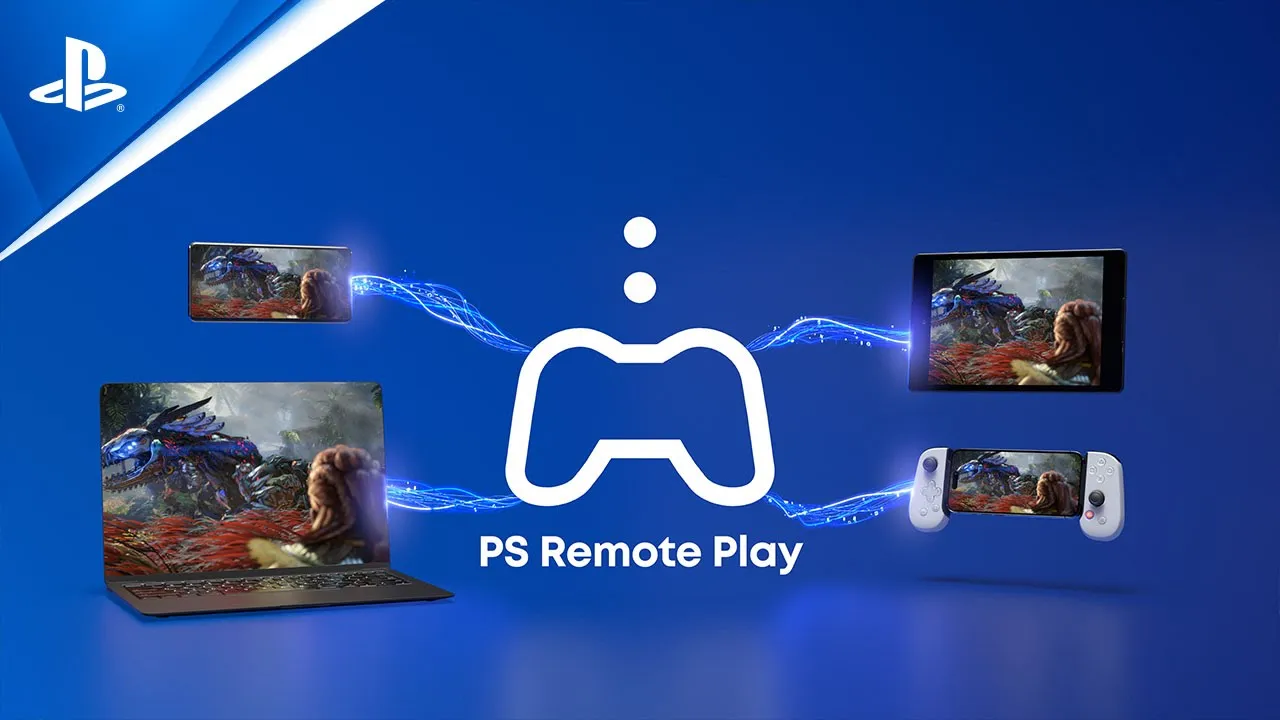
Remote Play
You’ll need the following to use PS Remote Play:
You'll take the following steps each time you connect to your PS5 console or PS4 console from your mobile device.
From the second time onwards, you'll be able to select the console that you connected to previously.
Using the PS Remote Play app, you can control your PS5 console or PS4 console from a PC or Mac connected to a high-speed network. Check your PC or Mac meets the requirements and then follow the steps below to set up Remote Play.
Windows
Mac
Controller
PS5 console or PS4 console
An account for PlayStation
A high-speed internet connection
You'll only need to do this the first time you use Remote Play:
You'll take the following steps each time you connect to your PS5 console or PS4 console from your PC or Mac.
From the second time onwards, you'll be able to select the console that you connected to previously.
If your console cannot connect to your computer automatically, you will be asked to manually register the console on your PC or Mac.
Learn how to connect your PlayStation®Vita to a PS4 console for PS Remote Play and Second Screen play.
Make sure:
Find out how to enable Remote Play on your PlayStation®5 console or PlayStation®4 console, and change Remote Play settings.
The minimum required connection speed for Remote Play is 5Mbps for both upload and download. Follow the steps below to check that your connection meets these requirements.
Remote Play cannot be used when:
Uninstall the PS Remote Play application using the directions below, then reinstall the application.
Windows
Mac
Android/iOS
Share & broadcast
A ) Recently created
Select the thumbnail to open the Recently created card. You can view up to 15 of your most recent screenshots and video clips.
B ) Capture methods
Save Recent Gameplay, Take Screenshot, Start New Recording.
C ) Broadcast
Jump right into a broadcast from the create menu.
D ) Share Screen
Stream your gameplay to members of your party.
E) Capture Options
Change the format and resolution of your screenshots or video clips. You can include your mic's audio as well as your voice chat audio. If you have a compatible display, you can also enable 4K recording.

You can save a screenshot of your gameplay in one of the following ways.
Go to Settings > Sharing and Broadcasts and select one of the following settings.
If the player sharing their screen turns on viewer interactions, you can interact with the player's screen and make reactions for everyone watching to see.
You can then interact with the player's screen by:
Twitch stream is stuck "preparing" when broadcasting from PS4 consoles
Twitch now requires 2FA (Two Factor Authorisation). You will need to activate 2FA on your Twitch account to Broadcast from your PS4 console. For full instructions, please visit the Twitch Two-Factor Authentication (2FA) guide. Once 2FA is activated and set up, you can log in to Twitch from your PS4 console and start streaming.
To get the best experience from Share Play, both the host and the visitor must each have a high-speed Internet connection. Refer to this information if you experience Share Play connection or stability issues.
Enter your date of birth.
LIVE_BLOG_FEED_AGE_VERIFY
{OVERLINE}
{PARAGRAPH}
{FEATURE_DESC}